








In 30 seconds, what is the best automated hiring software? Top 5 picks
- Peoplebox.ai: Best for enterprise and high-volume teams that want AI screening interviews on their current ATS, on a per-user plan (4.5 out of 5)
- Paradox: Best for high-volume hourly employers that want text screening and interview scheduling, on a custom-quote plan (4.5 out of 5)
- Greenhouse: Best for mid-size and enterprise teams that want a full ATS with structured interviews, on a custom-quote plan (4.4 out of 5)
- Workable: Best for small and midsize teams that want a full ATS with job posting and sourcing, on a flat monthly plan (4.4 out of 5)
- Zoho Recruit: Best for small teams that want a full ATS, starting on a free plan for one recruiter (4.4 out of 5)
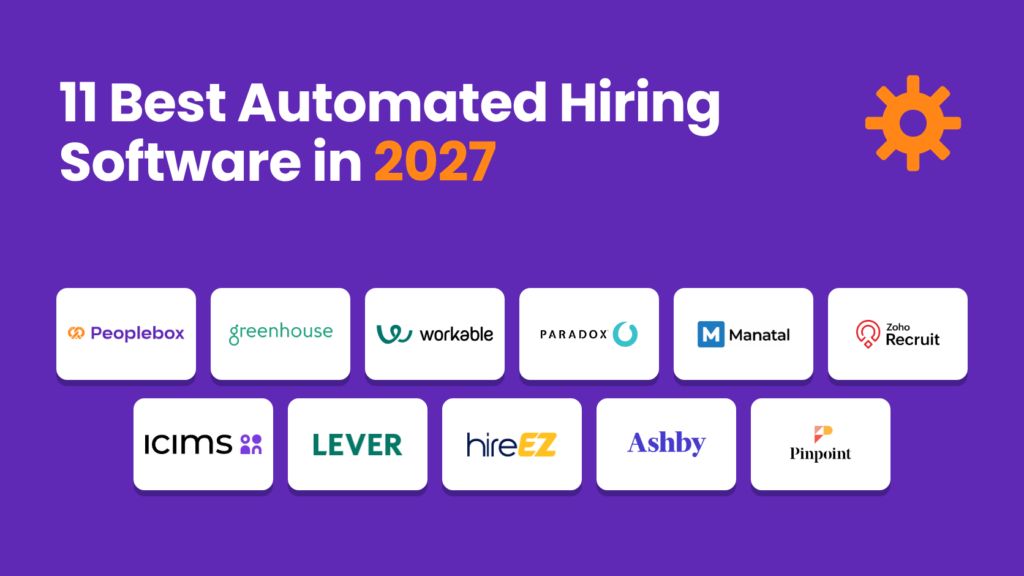
Automated hiring software is a platform that handles repeat hiring tasks for recruiters, such as screening applicants, running first-round interviews, scheduling, and sending updates. Some tools automate one step and connect to your ATS, while others run the whole pipeline. The right pick depends on your slowest step, your hiring volume, and the ATS you already use. This guide compares the 11 best automated hiring software tools and explains the types, features, costs, rollout plan, and compliance checks to plan for.
Quick comparison: Automated hiring software
Here is how 11 recruitment automation software options, from full automated recruiting platforms to single-step tools, compare on what they automate, public pricing, and G2 rating.
| Tool | Best for | Main step it automates | Public pricing | G2 rating |
|---|---|---|---|---|
| Peoplebox.ai | Enterprise and high-volume teams that want AI screening interviews on their current ATS, on a per-user plan | First-round interviews | From $7/user/mo | 4.5 out of 5 |
| Greenhouse | Mid-size and enterprise teams that want a full ATS with structured interviews, on a custom-quote plan | Structured interviews and workflows | Contact sales | 4.4 out of 5 |
| Workable | Small and midsize teams that want a full ATS with job posting and sourcing, on a flat monthly plan | Job posting and sourcing | From $299/mo | 4.4 out of 5 |
| Paradox | High-volume hourly employers that want text screening and interview scheduling, on a custom-quote plan | Text screening and scheduling | Contact sales | 4.5 out of 5 |
| Manatal | Agencies and small teams that want an ATS with AI candidate scoring, on a low per-user plan | Candidate scoring | From $19/user/mo | 4.8 out of 5 |
| Zoho Recruit | Small teams that want a full ATS, starting on a free plan for one recruiter | Resume parsing and matching | Free plan, then $30/recruiter/mo | 4.4 out of 5 |
| iCIMS | Large high-volume employers that want a full ATS with chatbot screening and scheduling, on a custom-quote plan | Candidate engagement at scale | Contact sales | 4.2 out of 5 |
| Lever | Mid-size teams that want an ATS with built-in sourcing and candidate nurture, on a custom-quote plan | Pipeline nurture | Contact sales | 4.3 out of 5 |
| hireEZ | Outbound recruiting teams that want sourcing automation on top of their ATS, on a custom-quote plan | Sourcing and outreach | Contact sales | 4.6 out of 5 |
| Ashby | Growing mid-size teams that want a full ATS with scheduling and analytics, on a flat monthly plan | Analytics and scheduling | From $300/mo | 4.7 out of 5 |
| Pinpoint | Mid-size and multi-brand employers that want a full ATS with workflow automation, on a custom-quote plan | Workflow automation | Contact sales | 4.6 out of 5 |
This evaluation reflects the highest editorial standards. Every tool is reviewed under the same criteria, and no vendor paid for placement or ranking. Read more about the evaluation framework here.
What is automated hiring software?
Automated hiring software, also called recruitment automation software, recruiting automation software, or an automated recruitment system, runs repeat hiring tasks without a recruiter doing each one by hand. It screens applicants, runs first-round interviews, books interviews, and sends updates based on rules or AI. Recruiters still own the shortlist, final interviews, and the offer.
The terms overlap, and each team uses its own. For a deeper look at how automation in recruitment works stage by stage, read our recruitment automation explainer.
Is automated hiring software the same as AI hiring software?
Not always. Rules-based automation triggers an action when something happens, such as a reminder sent after an application. AI hiring software ranks, interviews, or summarizes candidates. Many tools mix both, so check which steps use rules and which use AI before you buy. If you want AI-first options, compare our guide to AI recruiting software.
Is automated hiring software the same as an ATS?
An applicant tracking system stores candidate records and moves them through hiring stages. Automation acts on those records. Many automated hiring tools sit on top of the ATS, and some ATSs include automation of their own. Common ATSs include Workday, Greenhouse, iCIMS, SmartRecruiters, and Lever. Ask any vendor which ATS it connects to and which fields sync.
What are the pros and cons of automated hiring software?
Automated hiring software saves recruiter hours and speeds up replies, but it needs clear criteria, setup effort, and human review.
| Pros | Cons |
|---|---|
| Saves recruiter hours on screening and scheduling | Can reject good candidates if the criteria are weak |
| Answers candidates within minutes | Setup and ATS integration take effort |
| Gives every candidate the same questions | Needs human review of scores for fairness |
| Works outside office hours | Candidates may dislike it without a path to a person |
Which hiring steps can automated hiring software handle?
Automated hiring software can handle job posting, applicant screening, first-round interviews, scheduling, candidate updates, and reporting. The biggest time savings come from screening and scheduling, because those steps repeat for every applicant. Offers, final interviews, and hiring decisions should stay with people, with automation only preparing the information.
The table below maps each step to what recruiting automation tools can take over and what should stay with a person.
| Hiring step | What gets automated | Who owns it | What stays human |
|---|---|---|---|
| Job posting | One-click posting to many job boards | Recruiter | Writing the job description |
| Resume screening | Parsing and ranking applications, as in automated resume screening | Recruiter | Final shortlist |
| First-round interview | AI interviews by phone, video, or chat with an AI interviewer | TA leader | Reviewing scores and edge cases |
| Interview scheduling | Self-booking and reminders with interview scheduling software | Recruiting ops | Panel interviews with senior leaders |
| Candidate updates and reminders | Status texts and emails | Recruiter | Rejection calls for finalists |
| Re-engaging past applicants | Outreach to people already in your ATS | Recruiter | Deciding who to contact |
| Assessments | Sending and scoring skills tests | Hiring manager | Judging results in context |
| Offer and onboarding | Forms and e-signatures | HR | Offer negotiation |
| Reporting | Time to fill and stage conversion dashboards | Recruiting ops | Deciding what to change |
In Peoplebox.ai’s State of AI Interviews 2026, 12.1% of AI interviews took place on weekends, so a screening step that only runs in office hours leaves those applicants waiting.
Which hiring steps should stay human?
Final interviews, offer negotiation, edge cases that AI flags, and any decision to reject a candidate should keep a person in the loop. Automate the first pass of screening on clear criteria, and keep manual resume review for borderline and flagged candidates. A recruiter should own every shortlist, even when software ranks the applicants, and should be able to override any score with a note.
What types of automated hiring software are there?
Recruiting automation software falls into six types: ATS platforms with built-in automation, AI interviewers and screening tools, conversational chatbots, scheduling tools, sourcing and CRM tools, and assessment tools. Most enterprise teams combine an ATS with one or two specialist tools. Pick the type that fixes your slowest hiring step first.
| Type | What it automates | Best when | Example tools from this list |
|---|---|---|---|
| ATS with built-in automation | Stages, approvals, scorecards, posting | You need one system of record | Greenhouse, Workable, Zoho Recruit, iCIMS, Ashby, Pinpoint, Lever, Manatal |
| AI interviewer and screening | First-round interviews and scored reports | Screening is your slowest step | Peoplebox.ai |
| Conversational chatbot | Candidate questions, screening, booking by text | You hire hourly roles at volume | Paradox, iCIMS |
| Scheduling tool | Interview booking and reminders | Coordination eats recruiter time | See the interview scheduling software guide |
| Sourcing and CRM | Outreach and candidate nurture | You hire outbound or for passive talent | hireEZ, Lever |
| Assessment tool | Skills tests and scoring | You need proof of skill before interviews | See the screening software guide |
Do you need a recruiting CRM as well as an ATS?
An ATS manages active applicants, while a recruiting CRM keeps talent pools warm for future roles, so you only need both if you hire outbound or rehire often.
| Setup | Fits | Watch for |
|---|---|---|
| ATS only | Teams that hire from inbound applicants | No nurture for past candidates |
| ATS with built-in CRM | Most mid-size teams | CRM features may be basic |
| Separate recruiting CRM | Agencies and outbound-heavy teams | Two systems to keep in sync |
AI will not replace the CRM: automation sends the messages, and the recruiting CRM still holds the relationships.
What is the difference between an ATS and a recruiting CRM?
An applicant tracking system (ATS) manages people who have already applied to an open job. It holds applications, moves candidates through stages, collects interview feedback, sends offers, and keeps the records you need for compliance.
A recruiting CRM manages people before a job opens. It is where sourcers build talent pools, send nurture emails, and bring back strong past applicants when a similar role comes up. If you want a closer look at that side, read our recruitment CRM guide.
Recruitment automation software can sit on either side. Some tools are an ATS with automation built in, some are a CRM with sourcing automation, and some are a separate layer that plugs into the ATS you already use.
| Tool type | Main job | Who is in it | Tools in this list |
|---|---|---|---|
| ATS | Track applicants from application to offer | Active applicants for open roles | Greenhouse, Workable, iCIMS, Zoho Recruit, Pinpoint |
| ATS plus CRM | Track applicants and nurture future candidates in one system | Applicants and passive talent | Lever, Ashby, Manatal |
| Sourcing and CRM | Find and re-engage candidates before they apply | Passive talent and past applicants | hireEZ |
| Automation layer | Screen, interview, or schedule on top of your ATS | Applicants handed over by the ATS | Peoplebox.ai, Paradox |
Most teams need an ATS first. Add a CRM when sourcing and talent pools matter to your hiring plan, and add an automation layer when screening or scheduling is the bottleneck.
How do recruiting teams use automated hiring software?
The same recruiting automation software gets used very differently depending on who is hiring and how many people they hire. These are the four patterns that come up most.
High-volume hourly hiring
Retail, logistics, and hospitality teams get hundreds of applicants for the same role each week. They automate the first touch: a chat or text screen for basic requirements, then self-scheduling into an interview slot. The goal is speed, because hourly candidates often take the first offer they get.
Corporate and professional roles
For salaried roles, the slow step is usually the first-round screen. Teams use structured AI screening interviews with the same questions for every candidate, then read a scored report in the ATS before deciding who moves forward. Recruiters spend their time on final interviews instead of repeat phone screens.
Staffing and recruitment agencies
Agencies fill many roles for many clients at once. They lean on resume parsing, candidate databases, and automated client submissions so a recruiter can match a past candidate to a new role in minutes.
Startups and small HR teams
A small team with one recruiter, or none, needs one system that posts jobs, tracks applicants, and books interviews without extra setup. Automation here is mostly templates and triggers: auto-replies, stage-based emails, and interview reminders.
In every case, the pattern that works is the same: let the software handle repeat steps, and keep hiring decisions with people.
What features should automated hiring software have?
Good automated recruiting software screens at your real volume, explains why it ranks candidates, syncs both ways with your ATS, and keeps an audit trail. It should also let you set workflows by role, reach candidates by text, email, or phone, and show hiring managers a simple view.
- Volume handling: Screens hundreds of applicants per role without slowing down.
- Explainable scoring with human override: Shows why each candidate scored as they did, and lets a person change it.
- Two-way ATS sync: Moves scores and statuses both directions without manual copying.
- Workflows by role and location: Lets you set different steps for different roles, departments, and sites.
- Multi-channel candidate contact: Reaches candidates by text, email, or phone, in the languages they use.
- Scheduling depth: Books interviews against real calendars and sends reminders.
- Audit trail and data controls: Logs every automated decision and lets you set data retention.
- Support and training: Includes setup help and recruiter training in the contract.
What are the 11 best automated hiring software tools?
We’ve shortlisted these 11 recruitment automation tools based on their features and limitations. They all have their own strengths and trade-offs when it comes to automating hiring for enterprise and high-volume teams.
Peoplebox.ai
Peoplebox.ai is an AI interviewer and first-level screening layer. It screens resumes, interviews each applicant by phone, video, or chat with follow-up questions, and sends a scored report to your ATS.
- Interviews every applicant by phone, video, or chat, at any hour
- Screens and ranks resumes before the interview
- Asks follow-up questions when an answer is vague
- Scores every answer the same way, for a recruiter to review and decide
- Sends scores and summaries to your ATS, with 50+ ATSs supported
- Overkill for teams running under 10 interviews a month
- Score quality depends on how well you write the criteria
- Advanced AI modules may require additional investment beyond base pricing
Peoplebox.ai has reshaped our hiring workflow. Automated screening delivered instant results, and the structured interview platform cut effort while improving clarity and feedback, helping us make faster and more confident decisions.
Shankar Singh, Head of Talent Acquisition, Sprinto
Greenhouse
Greenhouse is an applicant tracking system built around structured hiring. It gives every role an interview kit and scorecard, automates stages and approvals, and connects to hundreds of HR and recruiting tools through its API.
- Structured interview kits and scorecards
- Built-in sourcing and CRM
- Interview scheduling and texting
- Fraud and spam detection for applicants
- Reports and dashboards may be hard to build
- Newer AI features could cost extra as add-ons
- The interface might take new users time to learn
Workable
Workable is an all-in-one recruiting platform for small and midsize companies. It posts jobs to 200+ boards in one click, sources candidates with AI, and lets candidates book their own interviews.
- One-click posting to 200+ job boards
- AI-powered candidate sourcing
- Candidate self-scheduling
- EEO and OFCCP reporting
- Reporting and search filters may feel limited
- The mobile app could lack some desktop features
- Importing candidates might take extra manual steps
See automated screening in a 2-minute tour
Click through a self-guided tour of how Peoplebox.ai screens and interviews applicants, from invite to scored report in your ATS.
Paradox
Paradox is a conversational hiring assistant, Olivia, built for high-volume hourly and frontline hiring. It screens applicants, answers their questions, and books interviews by text and web chat. Paradox is now part of Workday.
- Olivia chat assistant for screening
- Interview self-scheduling by text
- Answers candidate questions around the clock
- Conversational ATS for frontline roles
- The assistant may struggle with complex candidate questions
- Customizing conversation flows could take extra setup time
- Senior or specialized roles might still need recruiter screening
Manatal
Manatal is an AI applicant tracking system and recruiting CRM for agencies and small teams. It scores candidates against each job, enriches profiles from social media, and formats resumes with your branding.
- AI-based candidate scoring
- Social media profile enrichment
- Branded resume formatting
- Supports every language
- Filtering applications by custom criteria may be limited
- AI matching could miss fits for complex roles
- Candidate messages between stages might need manual steps
Zoho Recruit
Zoho Recruit is an applicant tracking system for staffing agencies and in-house teams. Its AI assistant, Zia, matches candidates to jobs, and it parses resumes, runs pre-screening assessments, and offers a free plan for one recruiter.
- Free plan for one recruiter
- Zia AI candidate matching
- Resume parsing and formatting
- Pre-screening assessments
- Settings and workflows may take time to learn
- Setup and integrations could need extra configuration effort
- AI matching might require a higher-priced plan
AI Resume Screening Tool
Paste a job description, add resumes, and get a ranked shortlist with a match score and reasons for each candidate, before you pay for any software.
iCIMS
iCIMS is an enterprise talent acquisition suite for large employers. For high-volume hiring, it adds a 24/7 chatbot over SMS, web, and WhatsApp, application scoring, and interview scheduling.
- 24/7 chatbot over SMS, web, and WhatsApp
- Application scoring to rank candidates
- Text engagement and interview scheduling
- Mobile workspace for recruiters and managers
- Common tasks may take many clicks to finish
- Support tickets could be slow to resolve
- The suite might feel heavy for smaller teams
Lever
Lever combines an applicant tracking system and a candidate relationship manager in one database. Teams use it to nurture past and passive candidates, track pipelines, and report on hiring speed.
- Applicant tracking and CRM in one database
- Candidate nurture campaigns
- Talent analytics and pipeline views
- Referrals and internal mobility
- Reporting and filters may feel inflexible
- New hiring managers might find it hard to learn
- Feedback forms could be hard to set per job
hireEZ
hireEZ is an outbound recruiting platform that searches public profiles across the web and runs outreach campaigns. It works on top of your existing ATS.
- Open-web candidate search
- Contact details for candidates
- Multi-step outreach campaigns
- Works on top of your ATS
- Candidate contact details may be outdated or wrong
- Bulk edits across campaigns could feel clunky
- Candidate pools might be thin for niche roles
Automated Hiring Software Evaluation Kit
Score vendors on your own applicants, not on a demo.
- 10-step test plan with targets you set
- 15 vendor questions with yes or no answers
- 30-day pilot tracker and ROI baseline sheet
Ashby
Ashby is an all-in-one recruiting platform with an ATS, CRM, scheduling, and analytics. It adds AI-assisted application review, feedback summaries, and quality-of-hire surveys.
- Built-in dashboards and reports
- Quality-of-hire surveys
- AI-assisted application review
- Scheduling workflows and automated activities
- Intake forms may feel less intuitive to build
- HR system integrations could be less detailed
- No mobile app might slow quick reviews
Pinpoint
Pinpoint is an applicant tracking system for in-house teams, including employers that run several brands. It has a workflow builder for rules-based automations, anonymized screening, and interview self-scheduling.
- Workflow builder with rules-based automations
- Anonymized screening
- Interview self-scheduling
- Hiring across several employer brands
- Each job may need upfront setup before posting
- The platform could take time to learn
- Job board and LinkedIn integrations might feel limited
How did we evaluate automated hiring software?
We reviewed every tool under the same criteria, using facts checked in November 2026. No vendor paid for placement. Peoplebox.ai makes one of the tools on this list, and every entry, including Peoplebox.ai’s, lists limitations.
Data sources
- G2 profiles: Ratings and recent reviews, checked in November 2026.
- Vendor pages: Features, integrations, and listed prices, with contact-sales tools labeled.
- Buyer research: Questions from talent acquisition leaders and search data.
Selection framework
- Automation depth: How many hiring steps the tool automates end to end.
- ATS fit: Whether it works with the ATS most teams already run.
- Scale: Whether it holds up at high applicant volume.
- Candidate experience: How easy it is for candidates to apply, reply, and book.
- Pricing clarity: Whether a buyer can estimate cost before a sales call.
Which automated hiring software fits your team size and hiring volume?
Automated hiring software fits your team when it matches your hiring volume, your ATS, and the step that slows you down. Enterprise teams need deep ATS sync and audit trails. High-volume hourly teams need text-first screening and instant interviews. Staffing agencies need fast resubmission. Small teams need low setup effort.
By hiring volume: choose software that has these features for your size.
| Hiring volume | Features to look for |
|---|---|
| Under 50 hires a month | Simple setup, templates, low or free entry plans, built-in ATS |
| 50 to 500 hires a month | Two-way ATS sync, automated screening, text-based scheduling |
| 500+ hires a month | AI interviews, multi-location workflows, audit trail, reporting by site |
By team type: choose software that has these features for your team.
| Team type | Features to look for |
|---|---|
| Enterprise TA team | Deep ATS sync, audit trail, role-based access, bias reporting |
| High-volume hourly employer | Text-first screening, instant interviews, off-hours scheduling |
| Staffing agency | Fast candidate resubmission, resume formatting, client-ready reports |
| Small HR team | Low setup effort, flat pricing, built-in ATS |
Hiring hourly roles at volume? Read our guide to high-volume hiring software. Running a large TA team? See our guide to enterprise recruitment software.
How should you choose automated hiring software?
Choose automated recruitment software by starting with your slowest hiring step, then testing tools on your own past applicants. Ask each vendor how it syncs with your ATS, how it scores candidates, what it costs at your volume, and how long setup takes. Run a short pilot before you sign.
| Problem | What to look for | Question to ask the vendor |
|---|---|---|
| Recruiters lose hours to repeat work | Automation of screening and scheduling | Can you show time saved on one of my roles? |
| Cost grows with volume | Pricing tied to your applicant count | Is pricing fixed at my volume for the contract term? |
| Scores you cannot trust | Test results on past hires | Can I run 10 to 20 past applicants through it first? |
| Data stuck between systems | Two-way sync with ATS and HRIS | Does it connect to my ATS and payroll, and sync applicant details automatically? |
| Candidates drop off | A short, mobile-friendly flow | Can I apply as a candidate on my phone before I buy? |
| Security gaps | Independent security reports | Can you share your SOC 2 or ISO 27001 report? |
| Rigid screening rules | Your own criteria and knockout questions | Can I set my own criteria without help? |
| No visibility | Reports on time to fill and drop-off | Can you show a sample report for my roles? |
| Bias risk | A recent bias audit and human review | Has an independent bias audit been done in the last 12 months? |
| Recruiters do not adopt it | Training and a rollout plan | Who trains recruiters, and how long does it take? |
Before you sign, check that:
- Your ATS sync works both ways on a live test
- A person can override every AI score
- Pricing at your volume is in writing
- Candidates are told that AI is used
- You can export all your data if you leave
What mistakes do teams make when buying automated hiring software?
- Buying on sticker price. A low seat price can hide setup, integration, and add-on costs, so compare total cost at your volume.
- Automating a broken process. Software speeds up whatever you feed it, so fix unclear criteria and handoffs first.
- Skipping hiring manager adoption. If managers ignore the reports, recruiters end up doing the work by hand again.
- No integration plan. Decide who owns the ATS connection and how fields map before launch.
- Buying for today’s volume only. Check that pricing and performance hold when your applicant count doubles.
- Choosing speed over quality. Fast screening that rejects good candidates costs more than it saves.
- Ignoring AI-written applications. Pick tools that ask live follow-up questions, not just keyword matching.
Here is a preview of the first 3 tests in the free evaluation kit linked in the tool list above.
| # | Test | How to run it |
|---|---|---|
| 1 | Time saved | Time one week of screening, then compare with the tool on the same roles |
| 2 | Cost at your volume | Ask for a quote at your real monthly applicant count, with all add-ons |
| 3 | Screening accuracy | Run 10 to 20 past applicants you hired or rejected; compare picks with yours |
How much does automated hiring software cost?
Hiring automation software prices differ by tool because of hiring volume, the number of recruiter seats, the modules you pick, and add-ons such as AI interviews or texting. Budget for the platform fee, per-seat or per-hire fees, setup, ATS integration work, and recruiter training time. Compare the tools above, then choose the best fit.
| Pricing model | How it is charged | Fits | Watch for |
|---|---|---|---|
| Per user or recruiter | Monthly fee per seat, from $7 to $30 on entry plans | Small and midsize teams | Cost grows with every recruiter added |
| Flat monthly fee | One fee for the plan, entry plans from $299 to $300 | Teams with steady volume | Limits on jobs or seats |
| Custom quote | Priced by contract, no public price | Enterprise and high-volume teams | Add-ons priced separately |
| Free plan | Free for one recruiter | Very small teams | Limits on AI features and seats |
For a wider view of recruiting software by budget, see our hub guide.
Is there free automated hiring software?
Yes, a few tools offer free plans or trials, but free tiers usually limit job posts, seats, or AI features. Zoho Recruit offers a free plan for one recruiter, which suits very small teams. Enterprise and high-volume teams outgrow free tiers fast because ATS sync and audit trails sit on paid plans.
Is there free automated hiring software?
Yes, but free options are limited. Of the 11 tools above, one has a free plan, two offer a self-serve free trial, and the rest start with a demo. Here is what you can try without paying, as listed on each vendor’s site.
| Tool | Free option | What to know |
|---|---|---|
| Zoho Recruit | Free plan | One active job per recruiter license, with no resume parsing or AI features. See the Zoho Recruit plan guide. |
| Workable | 15-day free trial | No credit card needed. The trial does not include Workable Agent. See Workable pricing. |
| Manatal | 14-day free trial | No credit card needed. A few features, such as job board posting, are held back during the trial. See Manatal pricing. |
| Peoplebox.ai | Free tool | The AI Resume Screening Tool is free to use. The full platform starts with a demo. |
| Greenhouse, Lever, iCIMS, Paradox, hireEZ, Ashby, Pinpoint | Demo | No self-serve free trial. Testing usually happens through a demo or a paid pilot. |
A free plan is enough for a single recruiter filling one role at a time. For anything more, a free trial is the better test. Use it to run 10 to 20 past applicants through the screening step, connect your job board or ATS, and check how much setup the automation needs before you sign a contract.
How do you roll out automated hiring software in 90 days?
Roll out automated hiring software in three 30-day phases. In days 0 to 30, automate scheduling, reminders, and screening for your highest-volume roles. In days 31 to 60, add structured scorecards and hiring manager dashboards. In days 61 to 90, tune screening rules and re-engage past applicants.
- Days 0 to 30, recruiting ops: Connect the ATS, set screening criteria, and launch scheduling and reminders.
- Days 31 to 60, TA leader: Add scorecards and hiring manager dashboards, and review scores against past hires.
- Days 61 to 90, hiring managers and recruiting ops: Tune screening rules and re-engage past applicants.
Pilot at 2 or 3 locations or teams before a wider launch, so you fix problems while they are small.
How do you switch automated hiring software without losing candidate data?
Switch in six steps, with one named owner and a timeline.
- Export and audit your data.
- Map fields between the old and new system.
- Test with one role.
- Run both systems for a set window.
- Keep the old system read-only.
- Name an owner and a timeline.
Just 0.8%
of candidates who started an AI interview left before finishing it.
Source: Peoplebox.ai State of AI Interviews 2026, July 2026.
How do you prove ROI from automated hiring software?
Prove ROI from automated hiring software by tracking time to screen, time to schedule, and time to fill against your pre-launch baseline. Add stage conversion rates, candidate drop-off, requisitions per recruiter, and interviewer hours saved. Report them monthly to finance with the cost of the tool.
| Metric | How to measure | Owner |
|---|---|---|
| Time to screen | Hours from application to scored shortlist | Recruiting ops |
| Time to schedule | Days from shortlist to booked interview | Recruiting ops |
| Time to fill | Days from job open to offer accepted | TA leader |
| Stage conversion | Share of candidates moving between stages | Recruiter |
| Candidate drop-off | Share who start but do not finish | TA leader |
| Requisitions per recruiter | Open roles each recruiter handles | TA leader |
| Interviewer hours saved | Manager hours before versus after | Hiring manager |
In Peoplebox.ai’s State of AI Interviews 2026, 92.9% of candidates who started an AI interview completed it.
Is automated hiring software fair and compliant?
Automated hiring software can be fair and compliant when every candidate gets the same questions, people review AI scores before a rejection, and you tell candidates that AI is used. In New York City, Local Law 144 requires a bias audit and candidate notice for automated employment decision tools. Check your state rules too.
- Give candidates notice, and get consent where the law requires it
- Use the same criteria for all candidates
- Have a person review AI scores before any rejection
- Run a recent bias audit
- Set a data retention period
- Federal contractors should check OFCCP posting and reporting duties
This section is general information, not legal advice.
What can go wrong with automated hiring software?
Automated hiring software fails when weak criteria, biased data, or unchecked scores drive decisions without a person watching. Each risk below has a fix.
- Good candidates rejected: Test on past hires and review borderline scores by hand.
- Biased criteria: Audit the criteria and the results by group at least once a year.
- Candidates gaming keywords: Use live follow-up questions, not keyword matching alone.
- Over-reliance on scores: Keep a person accountable for every shortlist.
- Broken ATS sync: Test field mapping before launch and check it monthly.
The common thread is oversight. Software should prepare the decision, and a named person should make it.
How does automated hiring software handle AI-written applications and fraud?
Good tools combine several checks. Identity checks confirm the applicant is who they say they are, and proctoring flags suspicious behavior during an interview. Live follow-up questions test whether an applicant understands their own answers, which a pasted AI response cannot do. Structured questions tied to the job are also harder to answer with a prompt than open-ended ones. Ask each vendor which of these checks it runs by default.
Do candidates drop off when hiring is automated?
Not when the flow is short and fast. Text and chat updates keep candidates informed, instant interviews remove the wait for a recruiter’s calendar, and off-hours completion lets people apply when they have time. Drop-off rises when a tool asks for long forms or gives no reply. Test the candidate flow on your phone before you buy.
Get hiring automation guides in your inbox
New guides, templates, and research for TA and HR leaders, once a month.
Which automated hiring software is right for your team?
The best automated hiring software is the one that fixes your slowest hiring step and works with the ATS you already run. Enterprise teams usually need an ATS with strong automation plus a specialist tool for screening or scheduling. High-volume teams need a fast, text-first automated hiring platform, and small teams need low setup effort.
Start with the problem, not the feature list. Pick the step that costs your recruiters the most hours, test two or three tools on your own past applicants, and pilot the winner at 2 or 3 locations or teams before rolling it out. If first-round screening is your bottleneck, Peoplebox.ai automates screening interviews and sends a scored report to your ATS.
FAQs
1. Why do companies rely on automated hiring systems?
Companies rely on automated hiring systems because screening and scheduling repeat for every applicant and eat most recruiter hours. Automation answers candidates within minutes, keeps every applicant on the same questions, and frees recruiters for final interviews. It matters most when one role draws hundreds of applicants, as in high-volume hiring.
2. What is the best recruitment automation software?
It depends on which step you want to automate. For first-round interviews, choose an AI interviewer that asks follow-up questions and syncs scores to your ATS. For sourcing, choose a tool that searches the open web. Compare AI-first options in our AI recruiting software guide.
3. How can I automate my hiring process?
Start by listing your hiring steps and the hours each one takes. Automate scheduling and candidate reminders first, then screening and first-round interviews for your highest-volume roles. Keep offers and final hiring decisions with people. Our recruitment automation explainer shows each step in more detail.
4. How much does automated hiring software cost?
It depends on the pricing model and your hiring volume. Some tools charge per user or per recruiter each month, some charge a flat monthly fee, and enterprise tools quote by contract. A few offer a free plan for one recruiter. Compare models in our recruiting software guide.
5. Which ATS platforms work with automated hiring software?
Most automated hiring software connects to common ATSs such as Workday, Greenhouse, iCIMS, SmartRecruiters, and Lever. Ask each vendor whether the sync is two-way and real time, and which fields move. Some tools connect to one ATS per account. Our enterprise recruitment software guide covers ATS choices.
6. Is an all-in-one hiring platform better than separate automation tools?
No, not always. An all-in-one platform is simpler to run, but its weaker modules can slow you down. Many enterprise teams keep their ATS and add one specialist tool for screening or scheduling. Choose by your slowest step, as in our candidate screening software guide.
7. How accurate are automated hiring screening tools?
Accuracy depends on how clearly you define the job criteria and whether people review AI scores. Test any tool on 10 to 20 past applicants you already hired or rejected, and compare its picks with yours. Ask for the reasons behind each score. See how automated resume screening works.
8. Will automated hiring software replace recruiters?
No. Automated hiring software replaces repeat tasks, not recruiters. It screens, schedules, and sends updates, so recruiters spend more time on shortlisted candidates, hiring managers, and offers. Teams that automate usually handle more open roles per recruiter instead of cutting staff. Learn what an AI interviewer can and cannot do.
9. Can automated hiring software connect to HRIS and payroll systems?
Yes, many tools connect to HRIS and payroll through native integrations or an API, usually through your ATS. Confirm which data moves, how often it syncs, and who maintains the connection. Ask for a customer reference on your exact stack before you sign. See our recruiting CRM software guide.
10. How secure is candidate data in automated hiring software?
Candidate data is secure when the vendor encrypts it, limits access by role, and deletes it on a set schedule. Ask for SOC 2 or ISO 27001 reports, data retention settings, and where data is stored. Check consent rules for AI interviews too, as covered on our AI interview software page.
