







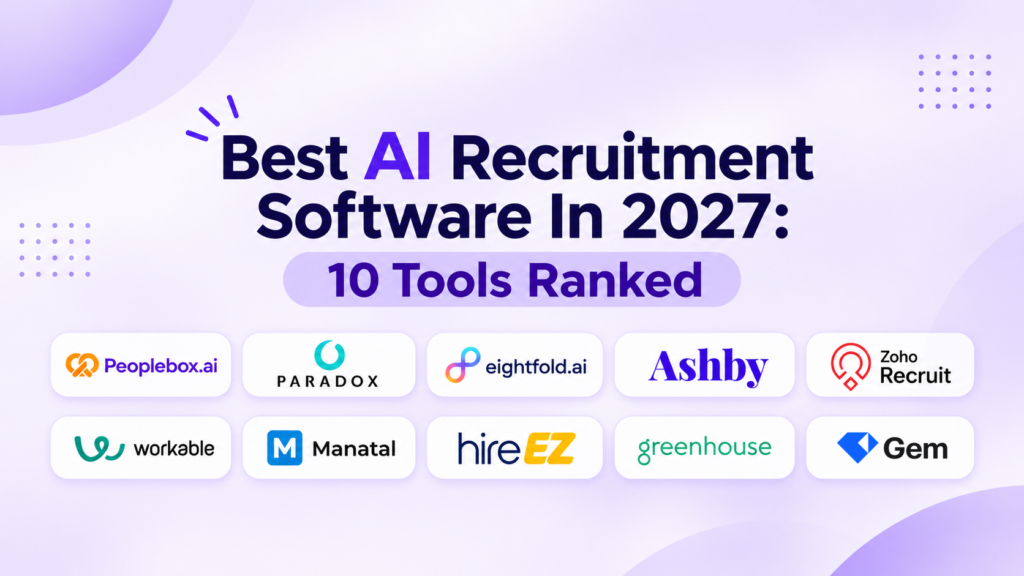

AI recruitment software is a tool that uses AI to take over steps in hiring, such as finding candidates, screening applicants, running first-round interviews, and booking interviews. Some tools go deep on one step, and others add AI features to a full applicant tracking system. The best pick depends on your slowest hiring step and your hiring volume. This guide compares 10 tools, shows which steps each covers, and explains how to choose, what it costs, and how to switch.
Quick comparison: AI recruitment software
This table compares 10 AI recruitment software tools on who each tool suits, what type it is, public pricing, and G2 rating. Use it to build a shortlist of two or three tools, then read each entry for features and limitations before you book demos.
| Tool | Best for | Type | Public pricing | G2 rating |
|---|---|---|---|---|
| Peoplebox | Mid-market and enterprise teams that want automated resume screening and an AI screening call for every applicant | AI interviewing and screening | From $7/user/mo | 4.5 out of 5 |
| Paradox | Hourly employers that need candidates screened and scheduled in one chat | Conversational AI for high-volume hiring | Contact sales | 4.5 out of 5 |
| Eightfold AI | Enterprise teams that want AI matching for both new hires and internal moves | Talent intelligence | Contact sales | 4.2 out of 5 |
| Ashby | Recruiting teams that want detailed hiring reports without a separate analytics tool | ATS with AI built in | From $300/mo | 4.7 out of 5 |
| Zoho Recruit | Small teams and agencies that want a free ATS plan for one recruiter | ATS with AI built in | From $30/recruiter/mo | 4.4 out of 5 |
| Workable | Small and mid-size teams that want an ATS and HR records together | ATS with AI built in | From $299/mo | 4.4 out of 5 |
| Manatal | Recruitment agencies that want a built-in CRM on simple per-user plans | ATS with AI built in | From $19/user/mo | 4.8 out of 5 |
| hireEZ | Mid-market sourcing teams that want automated resume screening beside AI sourcing | AI sourcing and recruiting CRM | Contact sales | 4.6 out of 5 |
| Greenhouse | Hiring teams that want structured interview scorecards inside their ATS | ATS with AI built in | Contact sales | 4.4 out of 5 |
| Gem | Startup recruiting teams that want AI sourcing credits bundled with an ATS | AI sourcing and recruiting CRM | From $135/mo | 4.7 out of 5 |
This evaluation reflects the highest editorial standards. Every tool is reviewed under the same criteria, and no vendor paid for placement or ranking. Read more about the evaluation framework here.
What is AI recruitment software?
AI recruitment software uses machine learning and language models to do recruiting work that used to need a person: reading applications, asking screening questions, ranking candidates, and sending updates. It sits on top of, or inside, your applicant tracking system. Recruiters still set the criteria, review the output, and make every hiring decision.
For a talent acquisition leader, the useful question is not whether a tool uses AI. It is which step the AI owns, and what the tool does when the AI is turned off. A tool that only adds a summary button to an ATS changes little. A tool that interviews every applicant within minutes changes how long candidates wait. This guide sorts tools by the hiring step they handle so you can match the tool to your bottleneck. For platforms that cover the whole hiring process, see talent acquisition platforms.
How is AI recruitment software different from an ATS with AI features?
An ATS with AI features is a system of record that stores jobs, candidates, and stages, and adds AI to help with parts of them. Dedicated AI recruitment software does one step, such as interviewing or sourcing, and sends results back to the ATS. Many teams run both. Our guide to the best applicant tracking systems compares the system-of-record side in detail.
What is talent acquisition software, and how is it different?
Talent acquisition software is a broader suite that covers sourcing, applicant tracking, interviewing, and hiring workflows in one system. AI recruitment software is the AI layer that automates specific steps inside that process. Some talent acquisition suites include AI features, and many teams add dedicated AI tools on top.
What types of AI recruitment software are there?
AI recruitment software comes in six main types, grouped by the hiring step it handles: sourcing, resume screening, AI interviewing, scheduling, skills assessment, and an ATS with AI built in. Most buyers need one or two types, not all six. Pick the type that matches the step where applicants wait longest.
| Type | Hiring step it handles | Use it when |
|---|---|---|
| AI sourcing | Searches for passive candidates and sends outreach, the job of candidate sourcing tools | Roles lack applicants |
| AI resume screening | Ranks incoming applications, the job of AI resume screening software | Too many resumes per role |
| AI interviewing | Runs first-round interviews by phone or video, the job of AI interview software | Screening calls pile up |
| AI scheduling | Books and moves interviews | Candidates wait for a slot |
| Skills assessment | Tests job skills | Roles need proof of skill |
| ATS with AI | Stores candidates and adds AI help | You need one system of record |
How do recruiters use AI in the hiring process?
Recruiters use AI at four points in the hiring process: finding candidates, screening applicants, interviewing them, and scheduling next steps. Most teams start with the step where applicants wait longest, then add a second tool once the first one runs reliably.
- Sourcing: AI searches profiles and drafts outreach.
- Screening: AI ranks applications against your criteria.
- Interviewing: AI asks every applicant the same first-round questions.
- Scheduling: AI books interviews and sends reminders.
What is an AI recruiting assistant?
An AI recruiting assistant is software that handles recruiter tasks through conversation, such as answering applicant questions, collecting answers to screening questions, and booking interviews. Some assistants now run full first-round interviews by phone or video. Check which tasks it completes on its own and which it hands to a recruiter.
What features should AI recruitment software have?
The best AI recruitment software asks every applicant the same structured questions, scores answers against criteria your team sets, and writes results back to your ATS. Look for human override on every score, candidate choice of channel, bias audit reports, and clear logs that show why each candidate moved forward.
- Structured questions per role
- Scoring against your criteria, with reasons shown
- Human override and an audit log
- Candidate choice of phone, video, or text
- Mobile-first apply, so candidates can start from a phone
- ATS write-back of scores, transcripts, and notes
- A bias audit report you can share with legal
- Identity and integrity checks
- Reporting on time to first interview
For a deeper look at the screening step, see candidate screening software.
See how AI screening and interviews work before you book a demo
Take a self-guided tour of Peoplebox’s AI resume screening, audio interview, and chat interview flows. No sign-up needed.
What are the 10 best AI recruitment software tools?
We’ve shortlisted these 10 tools based on their features and limitations. They all have their own strengths and trade-offs when it comes to AI recruitment software.
Peoplebox
Peoplebox is an AI interviewer and first-level screening layer. It runs a structured first-round interview with every applicant by phone or video and sends a scored report to your ATS. It works on a supported ATS or on Peoplebox’s own ATS.
- Automated resume screening for every applicant, so no resume goes unread
- AI screening call for every applicant, by phone or video, with no hiring manager involved
- Career site assistant that answers applicant questions
- Apply by text, voice, or QR code
- Scored interview report sent to your ATS, so recruiters skip manual note entry
- Overkill for teams running under 10 interviews a month
- Score quality depends on how well you write the criteria
- Advanced AI modules may require additional investment beyond base pricing
“Nova has been invaluable in a busy hiring season. Its AI cut screening time, and flexible workflows fit our needs perfectly. It stands out for speed and adaptability, supporting our lean HR team.”
Kelsey Krueger, HR Manager, SafeRide Health
Paradox
Paradox is a conversational AI platform that automates screening, interview scheduling, and candidate communication. Its suite also covers a conversational ATS, CRM, and career site.
- Conversational candidate screening
- Automated interview scheduling
- Candidate communication automation
- Conversational ATS and CRM
- Automated replies may struggle with complex candidate questions
- Setup and flow customization could take longer than expected
- Last-minute interview schedule changes may be inflexible
Eightfold AI
Eightfold AI is a talent intelligence platform that matches people to roles using AI. It covers hiring and internal moves across the employee lifecycle.
- AI matching of candidates to roles
- Internal talent search and recommendations
- Talent intelligence across the lifecycle
- Talent calibration filters
- Match results may feel irrelevant for some roles
- Setup may be complex with a steep learning curve
- AI output accuracy could vary on niche technical roles
Ashby
Ashby is an all-in-one recruiting platform that combines an ATS, CRM, scheduling, and analytics. It adds AI and automation to the recruiter workflow.
- ATS and CRM in one system
- Built-in interview scheduling
- Native recruiting analytics and reports
- AI and workflow automation
- Reporting and data pulls may take extra effort
- Scheduling might lack capabilities other ATSs offer
- Learning every feature may take time
Zoho Recruit
Zoho Recruit is an applicant tracking system for in-house recruiters and staffing agencies. It helps teams source, track, and hire candidates, and automates tasks such as emails and interview status updates.
- Candidate sourcing and tracking
- Email and status update automation
- Reports and analytics
- Free edition for one recruiter
- Interface may feel cluttered and confusing
- Initial setup and customization may take time
- Email integration could be difficult with two-step login
Workable
Workable is an all-in-one HR platform that combines an ATS with an HRIS. Its AI Recruiting Agent handles recruiting tasks for small and large teams.
- AI Recruiting Agent
- ATS and HRIS in one platform
- Candidate sourcing and job posting
- Structured interview management
- Mobile recruiting may be weaker than desktop
- Pages could feel slow with many applications
- Custom reporting dashboards may be limited
Manatal
Manatal is an AI-native ATS and recruitment CRM for recruitment agencies and corporate HR teams. It supports sourcing, candidate engagement, and hiring.
- ATS and recruitment CRM in one
- AI-assisted candidate sourcing
- Candidate engagement and outreach
- Simple per-user monthly plans
- Search and filtering may feel limited
- Support may be email only and slow
- Recruiter performance reporting could be limited
hireEZ
hireEZ is an AI-powered talent acquisition platform and recruitment CRM for mid-market and enterprise teams. It covers AI sourcing, automated resume screening, and candidate engagement.
- AI candidate sourcing
- Automated resume screening
- Candidate engagement automation
- Recruitment CRM and analytics
- Contact details may sometimes be inaccurate
- Campaign management could be hard across many roles
- Initial training may be needed to get started
Greenhouse
Greenhouse is a hiring platform that connects sourcing, interviewing, scheduling, and the applicant tracking system. It includes Voice AI and structured interview tools.
- Sourcing and candidate CRM
- Structured interview scorecards
- Automated interview scheduling
- Voice AI tools
- Reports and dashboards may be hard to build
- Interface may feel dated and overwhelming
- Integration workflows could need manual steps
Gem
Gem is an AI-first recruiting platform that combines an ATS, candidate CRM, sourcing, scheduling, and pipeline analytics in one system.
- ATS and candidate CRM
- AI sourcing credits
- Built-in interview scheduling
- Pipeline analytics and reports
- Pricing may be high for smaller teams
- Some pages could load slowly at times
- ATS and other integrations may feel clunky
Which hiring steps does each AI recruitment software tool cover?
This table shows which hiring steps each AI recruitment software tool covers, with Yes when the tool does the step, No when it does not, and a short note when a partner handles it. Use it to spot tools that cover your slowest step and to avoid paying for steps you already run.
| Tool | Sourcing | Resume screening | AI interview | Scheduling | Assessment | ATS |
|---|---|---|---|---|---|---|
| Peoplebox | Rediscovery in your ATS | Yes | Yes | No | No | Yes |
| Paradox | No | Yes | Chat screening | Yes | No | Yes |
| Eightfold AI | No | AI matching | No | No | No | No |
| Ashby | No | No | No | Yes | No | Yes |
| Zoho Recruit | Yes | No | No | No | No | Yes |
| Workable | Yes | Yes | No | No | No | Yes |
| Manatal | Yes | No | No | No | No | Yes |
| hireEZ | Yes | Yes | No | No | No | No |
| Greenhouse | Yes | No | Voice AI tools | Yes | No | Yes |
| Gem | Yes | No | No | Yes | No | Yes |
Find your shortlist
Choose your team type to see two tools from this list to read first. The order inside a row is not a ranking.
| If your team is | Read these entries first |
|---|---|
| Hourly or multi-location | Peoplebox, Paradox |
| A staffing agency or recruiting firm | Manatal, Zoho Recruit |
| In-house, hiring salaried roles | Ashby, Greenhouse |
| An enterprise | Peoplebox, Eightfold AI |
| A startup | Gem, Ashby |
| A small team on a budget | Zoho Recruit, Workable |
| Sourcing-heavy | hireEZ, Gem |
How did we evaluate AI recruitment software?
We evaluated every AI recruitment software tool on the same criteria, using data checked in November 2026. No vendor paid for placement or ranking. Peoplebox, the publisher of this guide, makes one of the tools on this list. Every entry, including Peoplebox, lists real limitations taken from recent user reviews or product teams.
Data sources
- G2 ratings: read in November 2026 for every tool
- Pricing: G2 pricing tabs and vendor sites, with contact-sales tools labeled
- Limitations: recent user reviews and, for Peoplebox, its product team
- Product facts: vendor product, pricing, and help pages
Selection framework
- AI depth: what still works when you turn the AI off
- Hiring steps covered: which steps the tool runs end to end
- ATS fit: native integration and write-back
- Controls: human override, audit logs, and bias audit evidence
- Buyer fit: hiring volume, role type, and recruiting model
Which AI recruitment software fits your hiring volume and team?
AI recruitment software fits your team when its features match your hiring volume, role type, and recruiting model. High-volume hourly teams need fast first-round screening on any device. Agencies need speed across many clients. In-house teams hiring salaried roles need structured interviews and deeper scoring. Enterprises need audits, controls, and integrations.
What should high-volume hourly teams look for?
By hiring volume: choose software that has these features for hourly and multi-location hiring.
| Feature to look for | Why it matters at volume |
|---|---|
| Apply by text, QR code, or voice | Candidates start from a phone, not a desktop form |
| First-round interview within minutes of applying, at any hour | Applicants are not lost while they wait for a call |
| Per-location settings | Each store or site keeps its own roles and hours |
| One view across locations | A district leader sees every location’s pipeline in one place |
For tools built around this need, see our guide to high-volume hiring software.
What should staffing agencies and RPOs look for?
By recruiting model: choose software that has these features for agency and RPO hiring.
| Feature to look for | Why it matters for agencies |
|---|---|
| Per-client screening criteria | Each client’s roles are scored on that client’s rules |
| Fast rediscovery of past candidates | Old applicants fill new orders before you post a job |
| Bullhorn or agency ATS sync | Results land in the system your recruiters already use |
| Reports you can share with clients | Clients see progress without a manual export |
Small agencies can start with an ATS that has a free or low-cost plan, then add AI screening as placement volume grows.
What should in-house teams hiring salaried roles look for?
By role type: choose software that has these features for salaried and professional hiring.
| Feature to look for | Why it matters for salaried roles |
|---|---|
| Deeper structured interviews | Questions go beyond yes or no screening |
| Role-specific scoring | A finance role and a sales role are not scored the same way |
| Interview notes for hiring managers | Managers read a summary instead of a full transcript |
| Proctoring for technical roles | Answers are checked for outside help |
96.4%
of Directors completed their AI interview, the highest completion rate of any seniority level. AI first rounds are not only for hourly roles.
Source: Peoplebox, State of AI Interviews 2026. Read the report.
What should enterprise teams look for?
By company size: choose software that has these features for enterprise hiring.
| Feature to look for | Why it matters for enterprises |
|---|---|
| Bias audit reports | Legal and compliance teams ask for them |
| SSO and data controls | IT approves tools that fit existing access rules |
| Global language support | Candidates interview in their own language |
| Workday, SAP SuccessFactors, or iCIMS integration | Results sync to the HR system of record |
For the system-of-record side, see enterprise recruitment software.
What should small businesses look for?
Small businesses usually do best with an ATS that includes AI matching and job posting, plus usage-based screening when applicant volume spikes. Look for a free trial, month-to-month pricing, and a per-user fee that does not climb with every added role.
By company size: choose software that has these features for a small team.
- Free trial or free plan
- No long contract
- Posting to free job boards
- Per-user pricing under a stated cap
How should you choose AI recruitment software?
Choose AI recruitment software by starting with the step where applicants wait longest, then test whether a tool fixes that step inside your current ATS. Ask each vendor the same questions, run a 30-day pilot at 2 or 3 locations, and compare time to first interview before and after.
| Problem | What to look for | Question to ask a vendor |
|---|---|---|
| Applicants wait days for a first call | AI first-round interview within minutes | Does the AI interview every applicant within an hour of applying, and at night? |
| Recruiters retype notes into the ATS | Automatic write-back of scores and notes | Does it write scores and transcripts back to my ATS automatically, and which fields? |
| Hiring managers distrust AI scores | Reasons per score and human override | Can a recruiter see why each score was given and override it? |
| Candidates drop off on long forms | Mobile apply and channel choice | Can candidates apply and interview by text, phone, or video on a phone? |
| Legal asks about bias audits | Independent audit and candidate notice | Do you share an independent bias audit, and who sends the candidate notice? |
| Costs climb with volume | Clear usage pricing | Is pricing per user, per interview, or per hire, and what happens above the cap? |
Before you sign, check that the tool:
- Fixes your slowest step
- Works with your ATS today
- Shows reasons for every score
- Passed a pilot at 2 or 3 locations
What mistakes do teams make when buying AI recruitment software?
- Buying a platform for a one-step problem
- Skipping the ATS sync test
- Judging on demo data instead of a live pilot
- Having no owner for scoring criteria
- Having no plan for candidate notices
AI Recruitment Software Stage Map and Scorecard
Find your slowest hiring step, score vendors on the same criteria, and run a 30-day pilot.
- A stage map that shows where applicants wait longest
- 15 yes-or-no vendor questions with a weighted scorecard
- A 30-day pilot tracker for 2 or 3 locations
How does AI recruitment software connect to your ATS?
AI recruitment software connects to your ATS through a native integration or an API, so new applicants trigger the AI step and results flow back to the candidate record. Before you buy, confirm the tool supports your exact ATS, which fields sync, how often, and what happens when a sync fails.
Use this checklist with every vendor:
- Native integration or API for your exact ATS
- Trigger: new applicant or stage change
- Fields synced: score, transcript, status, and notes
- Sync frequency
- Failure alerts when a sync breaks
- Limits on how many ATSs connect to one account
How much does AI recruitment software cost?
AI recruitment software prices differ by tool because of hiring volume, the number of users or locations, and add-on modules. Budget for the platform fee, per-user or per-interview usage, setup and ATS integration, job advertising, and recruiter time for training. Compare the tools above on these factors, then choose the one that fits your team best.
- Platform fee
- Per-user, per-interview, or per-hire usage
- Setup and ATS integration
- Job advertising
- Recruiter training time
Is AI recruitment software worth it?
AI recruitment software is worth it when applicants wait days for a first response or recruiters spend most of their week on screening calls. It is rarely worth it for teams hiring a few roles a year. Measure time to first interview, recruiter hours, and cost per hire.
Test AI screening on your own resumes before you buy
Paste a job description, add up to 10 resumes, and get a ranked shortlist with a match score and reasons for each candidate.
How does AI recruitment software handle bias, fraud, and AI hiring laws?
AI recruitment software handles bias, fraud, and AI hiring laws through structured scoring, identity and integrity checks, candidate notices, and independent bias audits. These controls vary by vendor, so ask for them in writing. Rules such as NYC Local Law 144 apply to the employer using the tool, not only the vendor.
- Same questions and criteria for every candidate
- Human review before any rejection
- Independent bias audit, as NYC Local Law 144 requires for covered tools
- Candidate notice and consent
- Checks for AI-written answers, proxy candidates, and deepfakes
- Data retention controls
This section is information, not legal advice. Ask your counsel which rules apply to you.
What can’t AI recruitment software do on its own?
AI recruitment software cannot replace recruiter judgment, write a good job brief for you, or fix a weak offer. It speeds up repetitive steps, but people still need to set criteria, check AI scores, close candidates, and own every hiring decision. Treat AI as a first-round layer, not the whole process.
- Set hiring criteria
- Judge culture and team fit
- Sell the role and close offers
- Handle accommodations and edge cases
- Own legal accountability
For the wider picture, see how AI fits into recruiting.
Get new AI hiring guides in your inbox
How do you switch or add AI recruitment software without losing applicants?
Switch or add AI recruitment software without losing applicants by running the new tool next to your current process first. Export candidate data and notes, keep the ATS as the system of record, set a 30 to 60 day timeline, name one owner for the migration, and keep the old system read-only.
- Export candidates, notes, and scores.
- Connect the new tool to the ATS and test with one job.
- Pilot at 2 or 3 locations for 30 days.
- Compare time to first interview and completion.
- Roll out by region.
- Keep the old system read-only for audits.
If you are also comparing workflow tools, see recruitment automation software.
Which AI recruitment software is right for your team?
The best AI recruitment software depends on the hiring step that slows your team down most. AI interviewers fit high-volume screening, sourcing tools fit hard-to-fill roles, and an ATS with AI fits teams that need one system for every candidate.
Start with the problem, not the feature list. Find your slowest step, fix that one first, and test one tool at 2 or 3 locations for 30 days against your current time to first interview. If screening is the bottleneck, see how AI first-round interviews work on a supported ATS.
See how AI first-round interviews work on your ATS.
FAQs
1. What AI software do recruiters use?
Recruiters use AI software by hiring step: sourcing tools find passive candidates, screening tools rank or interview applicants, scheduling tools book interviews, and ATS platforms add AI matching. Many teams combine two or three.
2. What are the best AI recruiting tools for recruiters?
The best AI recruiting tools match your slowest hiring step. Choose an AI interviewer when screening calls pile up, a sourcing tool when roles lack applicants, or an ATS with AI for tracking.
3. Which AI tool is best for HR?
For HR teams that hire, the best AI tool removes their biggest manual task. Volume hiring teams usually start with AI screening interviews, while small teams often start with an ATS that includes AI features.
4. Who has the best AI agent for recruitment?
An AI recruiting agent runs a task end to end, such as sourcing, outreach, or a first-round interview. No vendor leads every task, so compare agents on the step they own and human review controls.
5. Is recruiting being replaced by AI?
No. AI takes over repetitive steps such as resume review, first-round questions, and scheduling. Recruiters still own job briefs, hiring manager alignment, final interviews, offers, and every decision that needs human judgment.
6. Are companies actually using AI recruiters?
Yes. A common use is high-volume hiring, where an AI recruiter runs the first screening conversation by phone, video, or chat, then sends a scored summary to a recruiter who makes the next decision.
7. Is there free AI recruitment software for small agencies?
Yes, but free plans are limited. Some ATS and sourcing tools offer free tiers for a single recruiter, with caps on jobs, candidates, or AI credits. AI screening interviews usually need a paid plan.
8. What is the best AI recruitment software for small businesses?
Small businesses usually do best with an ATS that includes AI matching and job posting, plus usage-based screening when applicant volume spikes. Check contract length, per-user fees, and whether a free trial exists before buying.
9. Can AI recruitment software reduce hiring bias?
It can reduce inconsistency by asking every candidate the same questions and scoring against the same criteria. It can also add bias, so ask vendors for independent audit results and keep humans responsible for decisions.
10. What are the top ATS systems with AI features?
The top ATS systems with AI features parse resumes, match candidates to open jobs, and summarize interviews. Our guide to the best applicant tracking systems compares them by team size and hiring type.
