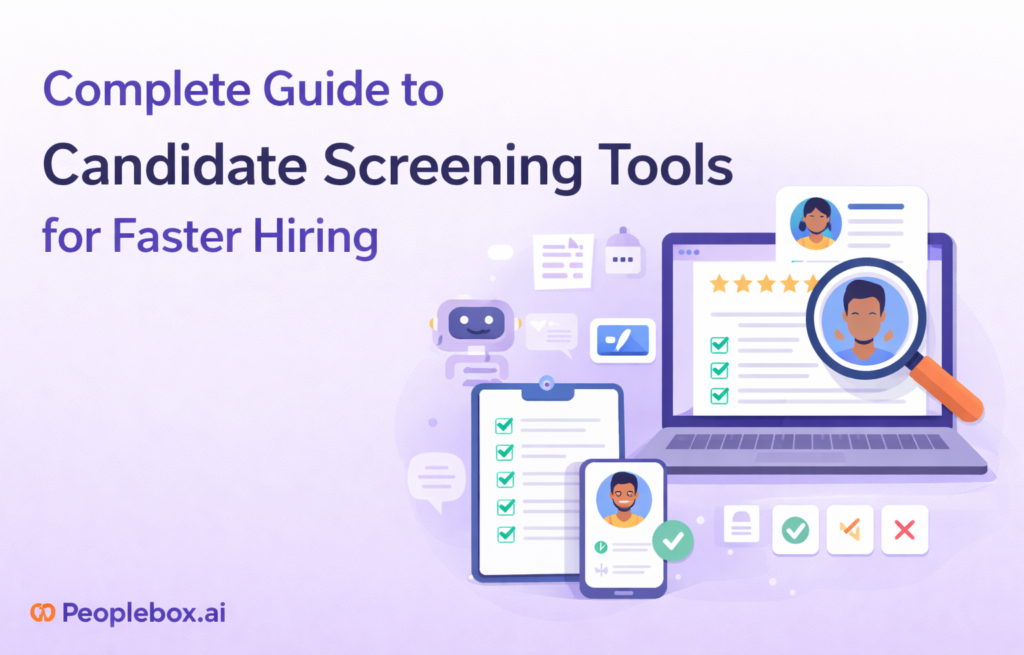

Struggling to manage the overwhelming volume of resumes? You are not alone. On average, with massive applicant pools, recruiters often spend 8–25+ hours per role just doing a first-pass review.
But it doesn’t have to stay this way.
Candidate screening tools can take over the heavy lifting. Modern AI screening tools can sort resumes, score candidates, summarize profiles and flag risks. So you can focus on the core tasks.
| What is a Candidate Screening tool? A candidate screening tool helps you quickly evaluate which applicants are worth advancing so you don’t waste hours reviewing resumes or running repetitive first-round calls. It does the early filtering for you, checking skills, experience, and basic job fit. So only strong, relevant candidates reach your desk. This frees up your time, reduces manual work, and enables you to make faster and more confident hiring decisions. |
AI vs. Traditional Screening: What Your Hiring Team Actually Gains
Here’s a simple side-by-side view of how AI screening compares to traditional methods across the dimensions that matter most to hiring teams.
| Feature | Traditional Interviews | AI Video Interviews |
| Travel Costs | High for candidates and interviewers | None |
| Time Spent | Hard to schedule, slow to conduct, heavy human effort | Instant scheduling, 24/7 candidate availability |
| Administrative Work | Manual resume screening, calendars, reminders, follow-ups | Fully automated; recruiters focus only on decision-making |
| Scalability | Limited by interviewer’s bandwidth and working hours | Infinitely scalable screen hundreds or thousands at once |
| Cost per Hire | Higher; avg cost $4,000 per hire | Lower; companies report up to 30% cost reduction |
| Initial Investment | Lower upfront cost | Higher initial setup for platform/software |
What Candidate Screening Tools Actually Mean Today (It’s More Than Resume Review)
Modern screening isn’t about “reading resumes faster.”It’s about helping you hire better, move faster, and remove the repetitive work that steals your day.This is where AI and automation actually help you reclaim time.
What automation actually does for you:
- Identifies hidden talent based on transferable skills.
- Ensures fairness with standardized criteria across all applicants.
- Keep your team aligned through shared dashboards and summaries.
Automation keeps your process structured, fast, and fair, so you can focus on high-value work: engaging talent, advising hiring managers, and closing great hires.
Signs Your Company Needs a Screening Tool
You usually don’t realize screening is broken until the downstream damage starts showing up. If any of the situations below sound familiar, it’s a clear signal that manual or inconsistent screening is holding your hiring back.
1. Employee turnover is higher than expected
If new hires aren’t sticking, the issue often starts at screening. When early-stage evaluation focuses too much on resumes and too little on skills, communication, and job fit, mismatches slip through and attrition rises within months.
2. You’re seeing bad hires despite “strong” resumes
On paper, candidates look great. In reality, performance doesn’t match expectations. This usually happens when screening relies on keyword matching or unstructured phone screens instead of skills-based, consistent evaluation.
3. Bias shows up in shortlists or interview outcomes
If shortlists vary widely by recruiter or interviewer, or you’re struggling to explain why certain candidates advance, bias may be creeping in. Lack of structure at the screening stage makes decisions harder to defend and fairness harder to maintain.
4. Time-to-fill keeps increasing
When recruiters spend hours reviewing resumes, scheduling calls, and taking notes, hiring slows down. Manual screening becomes the bottleneck, especially as applicant volume grows, pushing offers later and causing strong candidates to drop out.
5. You struggle to assess real skills early
If hiring managers only get clarity after multiple interview rounds, screening isn’t doing its job. Effective screening should surface skills, communication ability, and job readiness before candidates reach deep interviews.
6. Screening quality depends too much on individual recruiters
When outcomes vary based on who reviewed the resume or ran the first call, your process doesn’t scale. Screening tools bring consistency so every candidate is evaluated against the same criteria, every time.
Types of Candidate Screening Tools (And When to Use Each)
Modern teams use a mix of tools not just to “speed up hiring,” but to reduce manual work, improve evaluation quality, and create a consistent experience for candidates and hiring managers.
1. AI Resume Screening Tools
AI resume screening tools automatically parse and evaluate resumes based on skills, experience, and job relevance instead of manual keyword scanning.
When to use:
- You receive high volumes of applicants
- Early filtering eats up recruiter time
- You need fast, consistent shortlisting
Why this matters to you:
Instead of reading 300 resumes to find 12 worth interviewing, AI does the first pass for you.
Research shows AI screening has reduced time-to-shortlist by up to 75% for organizations handling large applicant pools, freeing recruiters to focus on conversations, not admin work.
2. AI Interview Tools (Asynchronous or Interactive)
AI interview tools conduct structured, human-like interviews (video or voice) that candidates can complete on their own time, with consistent scoring and summaries.
When to use:
- Limited interviewer bandwidth
- Inconsistent phone screens
- Slow coordination between recruiters & hiring managers
Why this matters to you:
Instead of juggling schedules and running repetitive phone screens, candidates interview on their own time and you get consistent insights every time.Perfect for fast-moving roles or overloaded teams.
3. Technical Screening / Coding Platforms
These tools assess real-world technical skills through coding challenges, problem-solving exercises, or live coding environments.
When to use:
- Hiring Engineers, Data Analysts, DevOps, SRE, Developers
What they solve:
- Real-world coding tasks
- Hands-on problem-solving validation
- Auto-scored technical assessments
Why this matters:
A resume can talk about Python or SQL. A coding test lets you see the candidate’s actual thought process and problem-solving ability.
4. Skills & Scenario Assessment Platforms
Scenario-based tools evaluate how candidates respond to realistic job situations, testing judgment, decision-making, and role readiness.
When to use:
- Sales, Support, Operations, Customer-facing roles
- You want to evaluate how candidates think and react, not just what they claim
What they solve:
- Situational judgment
- Job-readiness
- Real-world decision-making
Why this matters:
Skills tell you what a person can actually do, not what their resume says. These tools reduce guesswork and help you avoid costly mismatches.
5. ATS With Built-In Screening Automation
Applicant Tracking Systems that include basic screening, routing rules, and workflow automation within the hiring pipeline.
When to use:
- You need a central place to manage candidates, pipelines, interviews, and emails
- Your volume or team size is increasing
- You want structured workflows
What they solve:
- Duplicate management
- Automated routing rules
- Status updates, scheduling, and pipeline movement
Why this matters:
Think of an ATS as your candidate control centre.It keeps everything organized and helps hiring teams work together while saving time on tracking, scheduling, and reporting.
6. Verification & Background Check Tools
Tools that verify identity, employment history, education, and documents often using automation to speed up checks.
When to use:
- Final hiring stages
- Roles requiring trust, compliance, safety, or credential verification
What they solve:
- Education, employment, document, and identity checks
- Faster, more reliable verification
- Risk reduction
Why this matters:
These tools protect your brand and reduce last-minute surprises. AI processing makes verifications faster and more accurate.
7. Recruitment Analytics Platforms
Analytics tools that surface hiring metrics like time-to-fill, funnel drop-offs, and quality-of-hire trends.
When to use:
- You want visibility into bottlenecks
- Leadership needs hiring performance data
- You’re working toward predictable hiring
What they solve:
- Time-to-fill, funnel drop-offs, quality-of-hire insights
- Team productivity and hiring manager performance
- Strategic planning
Why this matters:
Analytics help you move from “reactive hiring” to “strategic hiring.” Instead of guessing what’s slowing you down, you see it and fix it.
Questions to Ask Before Choosing Any Candidate Screening Tool
Before investing in any screening platform, TA leaders, recruiters, and hiring managers should evaluate two things:
1️.Questions to Ask Yourself
These help you understand whether a tool is the right fit for your hiring challenges.
- What screening problem am I facing right now?
Is it resume overload, slow shortlisting, inconsistent interviews, or lack of data for decision-making. - What does this mean for my hiring outcomes?
Are we losing top talent? Delaying offers? Quality of hire? Better hiring manager satisfaction? Candidate experience? - How does a screening tool actually fix this for me?
What do I expect in speed, accuracy, fairness, and ROI?
2️. Questions to Ask the AI Screening Tool Vendor
These questions ensure the tool actually solves your problems, not just looks good on a demo.
1. How does your AI support our specific screening workflow?
2. What level of customization do you offer for scoring, evaluation rubrics, and job criteria?
3. How does your tool ensure fairness, reduce bias, and maintain consistency?
4. What integrations do you support (ATS, HRIS, calendar, Slack, email)?
5. How accurate and reliable is the screening output? Can you show real examples?
6. What does onboarding and ongoing support look like?
7. How do you handle candidate data, privacy, and storage?
How Candidate Screening Tools Help You Hire Faster
Modern screening tools remove the repetitive work that slows you down and help you focus on high-impact decisions. Here’s how they transform your workflow:
- Cut resume review time by up to 75%
Tools automatically filter out unqualified applicants and surface top matches instantly. - Eliminates Bias
AI interviews ensure every candidate gets the same questions and is scored against the same rubric, reducing bias and improving fairness. - Get actionable insights instantly
Strengths, weaknesses, risks, skill gaps, and job fit summaries appear automatically, no more manual note-taking. - Eliminate scheduling bottlenecks
Async AI interviews let candidates respond anytime, reducing delays and boosting completion rates. - Centralize all your hiring data
Integrations with your ATS bring resumes, scores, interview summaries, and feedback into one place. - Reduce hiring manager interview load
Only the top 5–10 candidates reach them, saving hours per role. - Create a better candidate experience
Fast responses, structured stages, and clear expectations make your hiring process feel modern.
What to Look for in a Screening Tool
Choosing a screening tool isn’t just about software; it’s about setting the foundation for your entire hiring funnel. The right one improves speed, quality, and trust from the very first step.
1. Job-relevant screening functionality
Go beyond keyword filtering. The tool should evaluate skills, communication, and job fit through structured resumes, AI interviews, or assessments and deliver outputs that are easy for hiring managers to act on.
2. Bias reduction by design
Bias shouldn’t be optional. Look for structured questions, standardized scoring, and consistent evaluation across all candidates so shortlists are fair and defensible.
3. Seamless workflow integration
The tool must fit into how your team already works, syncing cleanly with your ATS, calendars, email, and collaboration tools. If it creates extra steps, adoption will suffer.
4. Role-level customization
Your screening criteria will change by role and over time. Make sure you can adjust questions, skill weightings, and benchmarks without rebuilding the process every time.
5. Transparent, trustworthy results
Hiring managers need to understand why someone is shortlisted. Clear summaries, explainable scores, and consistent outputs build confidence in the tool’s recommendations.
6. Easy rollout and scalability
The tool should be quick to launch, simple to support, and able to scale with hiring volume without turning implementation into another full-time project.
Best Candidate Screening Tools in 2026
Each tool tackles a different part of the recruitment workflow from parsing and ranking to video interviewing and technical assessment.
1. Peoplebox.ai (Nova) – Best Human-Like AI Screening Platform
Peoplebox.ai (Nova) is a human-like AI candidate screening platform designed to replace manual resume screening and first-round interviews. It combines resume assessment, AI-led interviews, integrity checks, and automated scoring to help teams screen faster, fairer, and at scale without losing human judgment.
Key Features
- Human-like AI video & voice interviews (Nova)
Structured, conversational interviews with male and female avatar customization, real-time scoring, DEI-safe evaluation, and intelligent follow-up questions that probe depth, not just surface answers. - AI resume assessment
Automatically analyzes experience, skills, and role relevance to rank candidates before interviews, eliminating hours of manual resume review. - Expert-level technical screening
For engineering roles, Nova behaves like an experienced interviewer, interacting with candidates during coding assessments and evaluating problem-solving approaches, reasoning, and decisions, not just final answers. - Integrity & anti-cheating assessment
Built-in proctoring and integrity mechanisms reduce cheating, external assistance, and misrepresentation, ensuring reliable screening outcomes. - Asynchronous, candidate-friendly experience
Candidates complete interviews on their own schedule, removing coordination delays and improving completion rates. - Bias-safe by design
Structured rubrics, standardized questions, and consistent AI scoring ensure fair, job-relevant evaluation across all candidates.
Pros
- Human-like interviews instead of robotic prompts
- Strong follow-up questions that surface real signal
- Scales easily for high-volume hiring
- Faster shortlists with consistent, explainable evaluations
- Minimal recruiter effort for early-stage screening
Cons
- An initial configuration may be required to tailor interview flows and evaluation criteria
Best For
- High-volume hiring teams screening hundreds of resumes and running repetitive first-round calls every week
- TA leaders replacing resume screening + phone screens with human-like, AI-led interviews that still feel fair and controllable
- Fast-scaling startups and mid-market companies that need to move from “resume chaos” to consistent, decision-ready shortlists
- Hiring managers who want fewer interviews, stronger signal, and clear recommendations instead of raw resumes
⭐ Peoplebox.ai G2 Rating: 4.5/5
Watch Nova, our AI interviewer, in action
| Hire Faster Without Manual Screening Resume overload and slow first-round screens don’t have to hold you back.Peoplebox.ai Nova runs human-like AI screening so only the right candidates reach your team. 👉 Book a Demo |
2. Vervoe – Best Skills-Simulation Screening
Vervoe evaluates candidates through realistic simulations and performance-based assessments that mirror on-the-job tasks.
Key Features
- Job-Specific Simulations: Build real or scenario-based tasks that reflect everyday job challenges.
- Auto-Grading & Skill Mapping: Assigns performance scores across competencies that matter most.
- AI Response Evaluation: Consistent scoring across text/audio/video responses to cut bias and guesswork.
- Candidate Feedback Tools: Provides candidate-facing feedback summaries where relevant.
- Benchmarks & Analytics: Compare performance across cohorts by role, level, and skill domain.
Pros
- Focuses on real performance rather than resume claims.
- Helps spot practical capability and job readiness early.
- Great for roles where behaviour and decision-making matter.
Cons
- Candidates may take longer to complete detailed simulations.
- Requires thoughtful setup of simulation content to reflect real expectations.
- Not ideal for very early prescreening (requires engagement from candidates).
Best For
- Roles where hands-on performance predicts success (e.g., sales, support).
- Teams looking beyond resume keywords to actual output.
⭐ Vervoe G2 Rating: 4.6/5
3. TestGorilla – Best for Broad, Standardized Skill Testing
TestGorilla offers a large library of pre-built and custom assessments covering technical, cognitive, behavioral, and personality traits.
Key Features
- 300+ Ready-Made Tests: Technical, cognitive, personality, culture fit, logical reasoning, and more.
- Custom Test Creation: Employers can build or combine modules to reflect role priorities.
- Proctoring & Anti-Cheating: Screen and webcam monitoring, environment checks, and time-tracking.
- Candidate Ranking Dashboard: See top performers and skill gaps visually.
- API + ATS Connectors: Push results directly into your existing workflow.
Pros
- Helps you objectively compare candidates using standardized scoring.
- Easy to deploy tests quickly across roles.
- Works for technical and non-technical jobs.
Cons
- Pure test-based approach may overlook soft skills or cultural fit.
- Tests alone may not reflect on-the-job performance for complex roles.
- Design quality of custom tests depends on how well you build them.
Best For
- Teams needing consistent, objective early filtering.
- High-volume hiring where tests replace initial screening.
⭐ TestGorilla G2 Rating: 4.5/5
4. HireVue – Best for Structured Video Screening & Interview Standardization
HireVue blends on-demand and live video interviewing with AI-assisted evaluation to standardize early interviews.
Key Features
- On-Demand Candidate Videos: Candidates record responses to questions anytime.
- Live Interview Support: Structured interviewer prompts and scoring guidance.
- AI-Assisted Scoring: Language, tone, and answer quality analysis to support decision making.
- Interview Templates & Libraries: Prebuilt question sets for predictable evaluation.
- Coaching & Calibration Tools: Helps hiring teams align on expectations.
Pros
- Reduces scheduling friction with self-serve interview slots.
- Standardizes candidate experience and interviewer expectations.
- Gives hiring teams consistent, comparable interview data.
Cons
- Some recruiters need training to interpret AI assessment cues.
- Best paired with additional skills or task assessments for deeper validation.
- May feel “formal” for early-stage hiring.
Best For
- Teams with distributed hiring managers or remote candidates.
- Roles where standardized initial interviews reduce bias and variability.
⭐ HireVue G2 Rating: 4.1/5
5. Codility – Best for Engineering & Technical Skill Validation
Codility specializes in scalable coding assessments and real-time technical challenges to validate developer skills.
Key Features
- Automated Coding Challenges: Real environments for candidates to write and test code.
- Real-Time Assessment: See how candidates approach problems, not just final answers.
- Anti-Plagiarism Safeguards: Protects the integrity of results.
- Custom Challenge Builder: Align tests with your specific stack and workflows.
Pros
- High confidence in technical skill indicators.
- Excellent choice for software development, DevOps, and data roles.
- Reduces subjective evaluations in technical interviews.
Cons
- Narrow focus not designed for non-technical screening.
- Requires engineering support for advanced challenge design.
Best For
- Engineering teams hiring at scale.
- Roles where hands-on coding ability is non-negotiable.
⭐ Codility G2 Rating: 4.6/5
6. iMocha – Best for Broad & Enterprise-Scale Skill Coverage
iMocha offers an extensive test library across technical, cognitive, and behavioral domains with AI-driven analytics.
Key Features
- 3,000+ Skill Tests: Comprehensive coverage of technical, functional, behavioral, and cognitive assessments.
- AI Scoring & Benchmarking: Compare performance across role families and skill clusters.
- Skill Library + Job Taxonomy: Map skills to role hierarchies and career paths.
- Analytics Dashboards: Monitor weakness patterns, talent gaps, and capability trends.
Pros
- Broad coverage for cross-functional roles.
- Useful for enterprise teams and large pipelines.
- Strong analytics that inform talent strategy.
Cons
- More expensive than lightweight tools.
- Can feel complex for smaller teams or first-time users.
Best For
- Large teams hiring across many functions.
- Organizations wanting deep insights into skill gap mapping.
⭐ iMocha G2 Rating: 4.4/5
How to Implement a Screening Tool
When you’re ready to introduce a screening tool, the goal isn’t just adoption, it’s making sure it actually improves speed, quality, and trust in your hiring process. Use this checklist to evaluate and roll out the right solution.
- Understanding the Attributes Scored
Make sure the tool evaluates what actually matters for your roles skills, experience, communication, and job fit. - Time to Screen One Candidate
The tool should significantly reduce screening time, not add another step to your workflow. - Pilot Testing
Start small with one role or team to validate accuracy and candidate experience before rolling it out broadly. - Accuracy and Reliability
Ensure the results are consistent, explainable, and trusted by hiring managers, not a black box. - Role Compatibility
Confirm the tool works across the roles you hire for, not just a narrow use case. - Pricing Structure
Understand how pricing scales with volume, roles, or users so costs don’t grow unexpectedly. - Duplicate Candidate Handling
The tool should intelligently merge profiles to avoid data clutter and misreporting. - Integration with Existing Systems
Seamless integration with your ATS, calendars, email, and collaboration tools is critical to adoption.
Conclusion: If Screening Is Slowing You Down, It’s Time to Modernize
For TA leaders, recruiters, and hiring managers, the real bottleneck isn’t hiring; it’s everything that happens before hiring even begins.
A modern screening tool changes that equation. It takes over repetitive filtering, delivers structured insights instantly, and keeps your process fast, fair, and scalable without taking control out of your hands.
Choosing the right tool doesn’t have to be complicated. Focus on what truly affects your day-to-day workflow: what it scores, how quickly it screens, how accurate it is, how well it fits your roles, and how cleanly it integrates with your ATS.
If resume overload or inconsistent shortlists are slowing you down, the signal is clear: your screening process is ready for an upgrade. The teams moving fastest today aren’t working harder, they’re working smarter.